
WTOL 11: Toledo's News Leader
TEGNANews & Magazines
4.4832.00 Reviews
- Version
- 50.23.2
- Installs
- 100.00K
- Age Rating
- Everyone
Screenshots
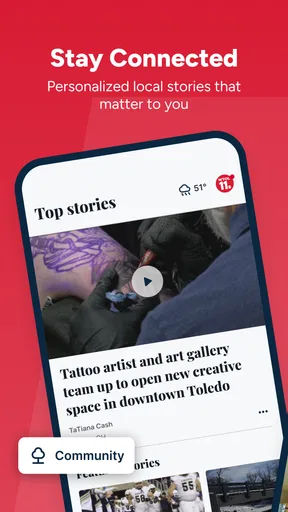
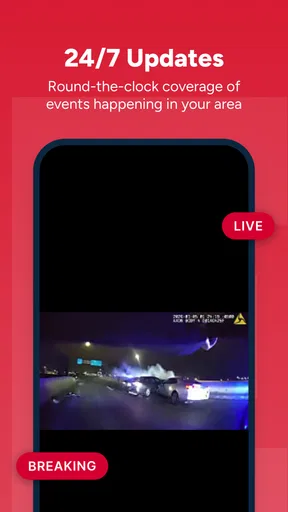
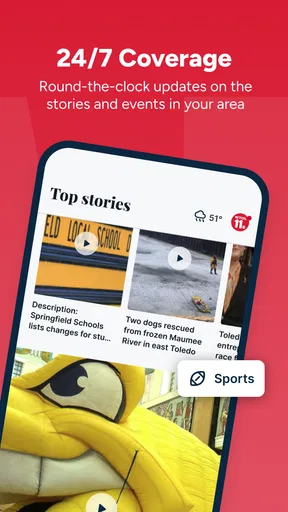
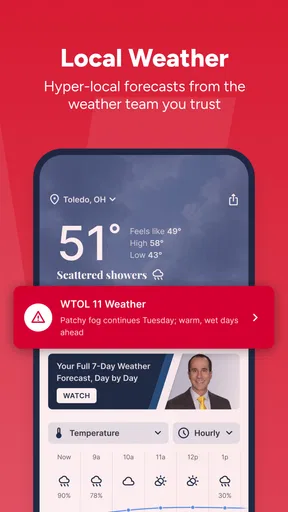
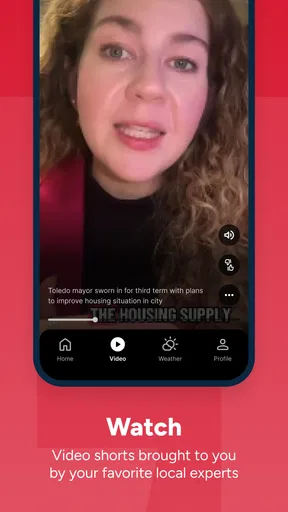
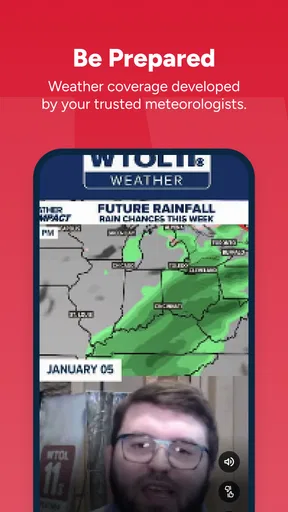
Our Review of WTOL 11: Toledo's News Leader
 Analysis by Appyee
When I need news from Toledo rather than a broad national feed, WTOL 11 feels like a focused starting point. I use it as a local news and magazine app from TEGNA, with its attention kept on the Toledo area instead of asking me to sort through headlines from everywhere. The useful promise is simple: local reporting, live video, and weather information in one place. In practice, that makes it most appealing when the question is immediate and regional: what is happening nearby, whether conditions are changing, and whether I should watch coverage as it develops.
The app is free and rated for Everyone, so it is easy to recommend as a low-commitment way to follow local coverage. It has a 4.4 average from around 3,600 ratings and more than 100,000 installs, which suggests that it has found a steady audience beyond occasional visitors. I would not treat those figures as a substitute for personal testing, though. A local news app succeeds or fails according to how quickly it helps during the exact moment I need it, and that depends on the quality of the connection, the importance of the story, and whether I prefer watching or reading.
From a local question to a useful answer
I use this section to connect a local question with the kind of answer the app can help me find, rather than treating every headline as a reason to browse. That distinction is useful when time is short: deciding what needs attention first can make a focused local check more practical than opening a broad feed and sorting through it.
Starting with the situation that matters
My typical starting condition is not “I want to browse news.” It is more specific: I want to know what is happening in Toledo, I want a quick look at local weather, or I have heard about a developing event and need a reliable place to begin. That distinction matters because a general news app may bury a regional story under national politics, international headlines, entertainment, and personalized recommendations. WTOL 11 is better suited to the person whose first filter is geography.
The app’s store summary points directly to the Toledo area, live video, and weather forecasts. Those three elements create a practical workflow. I can begin with a headline, move to a live broadcast when the story deserves more context, and then check weather information when conditions affect travel or plans. I like that combination because it reflects how local news is actually used: information is rarely isolated from the day around it.
For example, imagine I am preparing to leave work and hear that severe weather may affect the trip home. I would open the app to see whether there is a relevant local update, check the forecast, and then look for live coverage if the situation is developing. The outcome I want is not a long reading session. It is enough confidence to decide whether to leave now, change my route, postpone an errand, or keep monitoring the situation.
Moving through the app step by step
My first recommendation is to use the app with a question in mind. Opening it without a purpose can turn local coverage into a stream of headlines, while starting with “news,” “weather,” or “live video” gives the session a clear direction. I read the headline first, then look for the fuller item rather than assuming the short wording contains all the important context. This is especially useful with breaking stories, where the first update may be brief and later coverage may add details.
The handoff from a written item to video is where the app can become more useful than a basic local news webpage. Text is faster when I am checking a detail or reading quietly. Live video is more valuable when I need tone, explanation, or an unfolding picture of an event. I would not choose video automatically, because it demands more attention and may be inconvenient in a public place or on a limited connection. The practical trade-off is speed and privacy versus richer context.
Weather creates a second handoff. A forecast is not the same as a news report, and I use each for a different decision. The forecast helps with routine planning, while a local report can explain why conditions matter to Toledo residents. If I am deciding whether to drive, I would check the forecast first and then use current coverage to understand whether there is a local disruption worth taking seriously. That two-step habit is more useful than treating a single weather screen as a complete travel alert.
One non-obvious strength is the way a narrowly local app reduces the amount of sorting I have to do. With a broad aggregator, I often spend time dismissing irrelevant stories before reaching the regional item I wanted. Here, the local focus is itself a filter. The trade-off is equally clear: anyone who wants a complete national or international news briefing will need another source. This is a companion app for local awareness, not something I would use as my only news service.
Understanding the handoffs between formats
Local news consumption often moves through several hands: a headline catches my attention, a written report supplies details, a live broadcast adds immediacy, and weather information changes the practical decision I make. WTOL 11 fits that sequence better than an app that only presents articles. I find the workflow most useful when I resist the urge to treat every item as a separate destination and instead ask what information I still need after each step.
That approach also helps avoid a common mistake with live coverage. A live video stream can feel more authoritative simply because it is live, but it may not answer a narrow question as quickly as a written update. If I want to know whether an event affects a particular plan, I look for the clearest text first and use video for additional context. If I am following a rapidly changing situation, I reverse that order and watch for the newest visual or spoken update before checking the written details.
Another useful workflow is to separate “what happened?” from “what should I do?” The news item addresses the first question. Weather information and continuing coverage help with the second. Keeping those questions separate makes the app easier to use responsibly, especially when a dramatic headline could otherwise push me into a quick decision without enough local context.
The app’s current version is 50.23.2, and it supports devices running at least Android 7.1. That broad compatibility is helpful for people who keep an older Android phone rather than upgrading frequently. At the same time, users on older hardware should judge the experience by how comfortably their device handles modern news pages and video, not only by whether installation is possible. A compatible operating system does not guarantee that every media-heavy session will feel equally smooth.
Who gets the best result
I think this app is a strong fit for Toledo-area residents, commuters, families planning around local weather, and former residents who still want a regional view. It is also useful for someone who dislikes the noise of a national news feed and wants one local source to check during the day. Because it is free, trying it does not require a subscription decision before the first useful session.
The best result comes from treating it as a quick local dashboard rather than an endless entertainment feed. I would check it in the morning for the shape of the day, return when weather or an event changes, and open live video only when the story benefits from watching. That rhythm keeps the app practical and reduces the temptation to scroll simply because more headlines are available.
It is less suitable for readers who want deep investigative archives, extensive national analysis, or a single app that combines every region and topic. A national aggregator is more efficient for comparing coverage across cities. A dedicated weather app may be preferable when radar, alerts, or highly specialized forecasting tools are the main priority. WTOL 11 makes more sense when local reporting is the center of the workflow and weather is part of that local picture.
Where the workflow breaks
The first point of friction is scope. The local focus that makes the app useful can also make it feel limited if my interests move beyond Toledo. I may still need a second app for national headlines or broader context, and switching between sources can make the overall routine less convenient. That is not a flaw in the local purpose, but it is an important boundary before making it my only news application.
The second friction comes from the difference between reading and watching. Live video is valuable when I have time and a stable connection, but it is not always the fastest or most discreet way to get an answer. If I am standing in a queue, commuting as a passenger, or trying to check one detail quickly, written coverage is the better handoff. I would avoid relying on video as the default for every update.
A third limitation is the nature of developing news. Early reports can change as new information arrives. I use the app as a starting point for awareness, then revisit the item if the decision is important. This is particularly sensible for weather-related situations, where conditions can shift and a forecast should not be treated as a guarantee. The app can support a decision, but it cannot remove the need for judgment.
There is also a practical device consideration. The minimum operating-system requirement is Android 7.1, so someone with a very old phone may need to check compatibility before planning around it. Even when the app installs, live media can be more demanding than a simple text page. I would test it on the device and connection I actually use, especially if I expect to follow breaking coverage away from home.
Speed, stability, and the shape of a session
I would set modest expectations for speed in any news app that combines written coverage with live video. A headline or text item is usually the sensible first stop when I need an answer quickly; video adds useful context but also depends more heavily on the connection and the device. If playback takes time to become useful, I would switch back to the written report rather than repeatedly waiting on a stream. That simple fallback keeps a quick check from turning into a frustrating one.
For heavier use, such as checking several developing stories while also consulting weather information, I would keep the session focused. Read the item tied to the immediate decision, then use live coverage only if it adds something the text cannot. This is not just a way to conserve attention: it also makes it easier to notice whether new information changes the practical answer. I would not assume that leaving video running in the background is the best way to monitor a situation.
Reliability matters most when the app is being used as part of a plan, not as casual reading. If I lose a stream or the connection weakens, I would reopen the relevant written coverage and reassess rather than treating an interrupted feed as a complete update. On an older device, I would also close out of a demanding session before concluding that the app itself is at fault; browser pages, video, and other open tasks can all contribute to a sluggish-feeling phone. These are sensible troubleshooting habits, not guarantees about how every device will behave.
Questions worth settling before relying on it
If you are wondering whether this can replace a national news app, my answer is no—not if you regularly need broad coverage or comparisons between regions. Its value is the local lens, and a general news source is the better complement for national and international context. If you are asking whether the app is useful without watching video, it still makes sense as a place to begin with local written coverage and weather; live viewing is an option for moments when seeing or hearing the coverage adds value.
For a household deciding whether everyone can try it, the free price and Everyone content rating make the first step straightforward. The app was released on July 14, 2011, and TEGNA continues to identify it by version 50.23.2; I would still check that a particular phone meets the Android 7.1 minimum before relying on it. If your main concern is detailed weather monitoring, I would keep a dedicated weather service available rather than expecting a local news app to cover every specialized forecasting need.
My overall assessment after using the complete flow
What I like most is the clear path from local headline to local understanding. I can begin with a Toledo story, decide whether I need written detail or live video, and then connect that information with the weather when the situation affects my plans. That is a more useful outcome than simply collecting headlines. The app earns its place by shortening the distance between “something is happening” and “I understand enough to respond.”
TEGNA’s WTOL 11 is not trying to replace every news source on my phone, and I would not recommend using it that way. Its value is concentrated: Toledo-area news, live coverage, and forecasts in a free app for Everyone. The 4.4 average and audience of over 100,000 installs make it look established, while the real test is whether its local focus matches the way I consume information.
My recommendation is straightforward: if Toledo is the place you live, work, visit often, or still care about, I would install it and use it as the first stop for local developments. Keep a broader news source beside it if you need national context, and use a specialist weather tool if detailed meteorological features are central to your routine. For quick local awareness with a useful route into live coverage and forecasts, WTOL 11 is a sensible, focused choice rather than a complete replacement for the rest of your news toolkit.
Verdict
Strengths of WTOL 11: Toledo's News Leader
- Fast access to breaking news and local headlines
- Live weather updates help with daily planning
- Video reports add context beyond written articles
- Covers Toledo-area events, traffic, and community stories
- Push alerts can keep you informed about important developments
Limitations of WTOL 11: Toledo's News Leader
- Some alerts may feel frequent or less relevant
- Advertising can interrupt browsing and video viewing
- Coverage is mainly local, with limited national news depth
- Video playback may use significant mobile data
- Some features may require a stable internet connection
Other Releases by TEGNA
View All
WFAA - News from North Texas
News & Magazines4.2

KARE 11 News
News & Magazines4.2

Cleveland News from WKYC
News & Magazines4.2

Knoxville News from WBIR
News & Magazines4.6
Similar Picks in This Category
View All
Google News - Daily Headlines
Google LLC4.0

X
X Corp.4.8

Flipboard:Your Social Magazine
Flipboard3.4

Opera News: breaking & local
Opera4.5

Hindi News by Dainik Bhaskar
Dainik Bhaskar Group4.0

Way2News Daily News App
Way2News ( Formerly Way2SMS )4.6
Frequently Asked Questions
What is WTOL 11: Toledo’s News Leader?
WTOL 11: Toledo’s News Leader is a local news app focused on Toledo, Ohio, and surrounding communities. It brings together breaking news, weather forecasts, traffic updates, sports coverage, investigative reports, and other regional stories in one place. After opening the app, users can browse the latest headlines, watch available video reports, and follow developments that matter to northwest Ohio residents.
Does the WTOL 11 app provide live news and local video coverage?
Yes, the app is designed to provide current local reporting and may include live newscasts, breaking-news streams, recorded segments, and video clips from WTOL 11. Availability can depend on the broadcast schedule, location, internet connection, and licensing restrictions. If a live stream is unavailable, users can usually still access written reports, updated headlines, and on-demand video content.
Can I receive breaking-news, weather, or emergency notifications?
The application can send push notifications for important local developments, severe weather, school or traffic information, and other urgent updates, depending on the options enabled on your device. During setup, you may be asked to allow notifications. You can later manage notification categories through the app or your phone’s settings if you prefer fewer alerts or only want severe-weather warnings.
What weather features are available in WTOL 11: Toledo’s News Leader?
The weather section is one of the app’s most useful features for people in the Toledo area and nearby communities. It typically includes current conditions, hourly and extended forecasts, radar imagery, video forecasts, and severe-weather information. Forecast details may vary by location, so enabling location access or manually selecting a city can help display more relevant information.
Is WTOL 11: Toledo’s News Leader free to download and use?
WTOL 11: Toledo’s News Leader is generally available as a free download for supported Android and iOS devices. Most news, weather, video, and notification features can be accessed without a subscription, although the app may display advertising. Mobile data charges may apply when streaming video or browsing outside Wi-Fi, and certain content or features can change with future updates.
